
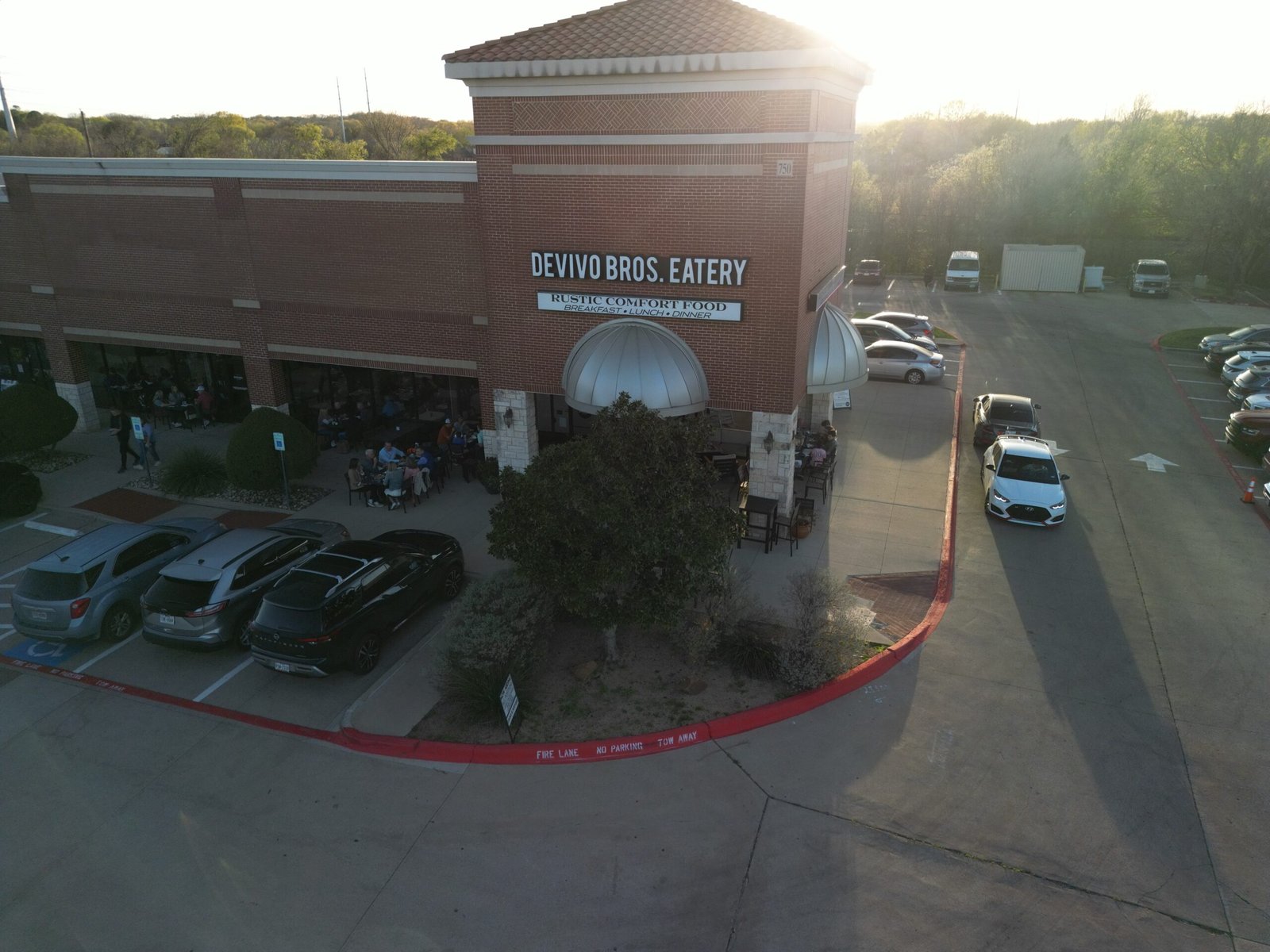
Small Business Saturday is Saturday, November 28, 2026, the Saturday after Thanksgiving. The best time to prepare is now, not the morning of the event. Start with a clear offer, make sure customers can find accurate information about your business, and invite the people who already know you to take part. This plan is intentionally small. A few focused actions can help a boutique, restaurant, salon, dentist, or home-services business show up for the occasion without adding a major project to an already busy holiday season. If you’re reading this with only a week or a few days to go, don’t skip the plan. Do the first row now, then compress the rest into a single afternoon: pick the offer, update your hours and online details, send one message to your regulars, and brief your team. A simple offer communicated clearly can still bring people in. The opportunity is worth a look: in the 2026 American Express Shop Small Impact Study, 88% of surveyed U.S. consumers said they were likely to shop at a small, independently owned business or restaurant during the holiday season, the highest level since Amex began tracking it. And 56% planned to shop or dine at a small business specifically on Small Business Saturday. Those figures don’t guarantee a busy day for any one business, but they do suggest customers are open to choosing local. Your job is to make that choice easy. Your Small Business Saturday countdown When Focus A few actions to complete Two weeks out, or as soon as you read this Decide what you’re offering Choose one easy-to-understand offer, confirm hours, update your online details One week out Tell people what to expect Share the offer, email or text regulars, refresh your reviews and photos Week of Make it easy to visit or book Repeat the details, prepare staff and checkout, confirm any special hours Saturday, Nov. 28 Welcome and capture Deliver the offer, invite customers to share, collect usable photo and video Week after Keep the connection Thank new customers, invite a next visit or booking, repurpose content Step one: choose one clear reason to visit Start by deciding what you want customers to do: visit, book, order, buy a gift card, or try a service. Then choose one offer that supports that goal and is easy for your team to explain and redeem. It doesn’t need to be a steep discount. A restaurant might offer a seasonal add-on with a meal. A boutique could highlight a small gift collection or bundle. A salon might promote gift cards or a service package. A dentist could share a simple booking incentive for a new-patient consultation, where appropriate. A home-services business might offer a limited number of estimate appointments or a seasonal maintenance package. Keep the terms straightforward. Set an end date if needed, state what’s included, and make sure your staff knows how to apply the offer. If you sell gift cards or packages, post the options and explain how customers can purchase or redeem them. Next, check the basics customers rely on. Update your Google Business Profile with accurate holiday hours, and add a recent festive photo that genuinely represents your business. Put “Small Business Saturday, November 28” in your social media bio or a pinned post, then add the date and offer to your Stories. Think beyond traditional retail. If customers search for your business while deciding where to eat, book, or shop locally, clear hours and current information help them take the next step. For more on the wider local-search basics, see our plain-English guide to local SEO. One week out: invite your regulars and build confidence People who already like your business are a natural place to start. Send a short email to your regulars, or a text to customers who have agreed to receive messages from you. Include the date, what you’re offering, and one useful next step, such as visiting, booking, or buying a gift card. Keep the message personal and specific. “Join us Saturday, November 28, for our Small Business Saturday gift-card offer” is more useful than a generic holiday greeting. If you have limited appointment availability or a popular product, say so accurately. Don’t create urgency you can’t support. Also spend a little time on reviews. Reply to recent reviews you haven’t answered, and make it easy for satisfied customers to leave an honest one. The BrightLocal Local Consumer Review Survey 2026 found that 74% of consumers look for reviews written in the last three months. That’s a reminder that your current customer experience and your online reputation work together. A thoughtful reply and a few recent reviews can help a potential customer feel more comfortable choosing you. Ask for honest feedback without offering a reward in exchange for a review. You can send a polite request after a purchase or appointment, but don’t pressure customers to leave only positive feedback. Finally, make your offer visible in the places customers already look. Use a social post, a Story, and, if you use it, a Google Business Profile update. Include the date, the terms, and how to find or contact you. Real photos of your people, products, or space help customers recognize what they’ll experience. For more on why, read Why Real Photos Beat Stock. The week of: reduce friction for customers and staff By the week of November 23, avoid inventing new offers or adding unnecessary tasks. Repeat the information customers need: hours, location or service area, offer details, and how to book or buy. Take a few minutes to check that your online hours match your plans. Review your social bio, pinned post, and website for outdated details. If you need reservations or appointments, make the booking process clear. If customers can order ahead, explain how. If your offer is in-store only or requires a minimum purchase, say that plainly. Give your team a quick briefing. Make sure everyone understands the offer, knows how to redeem it, and can answer common questions. If
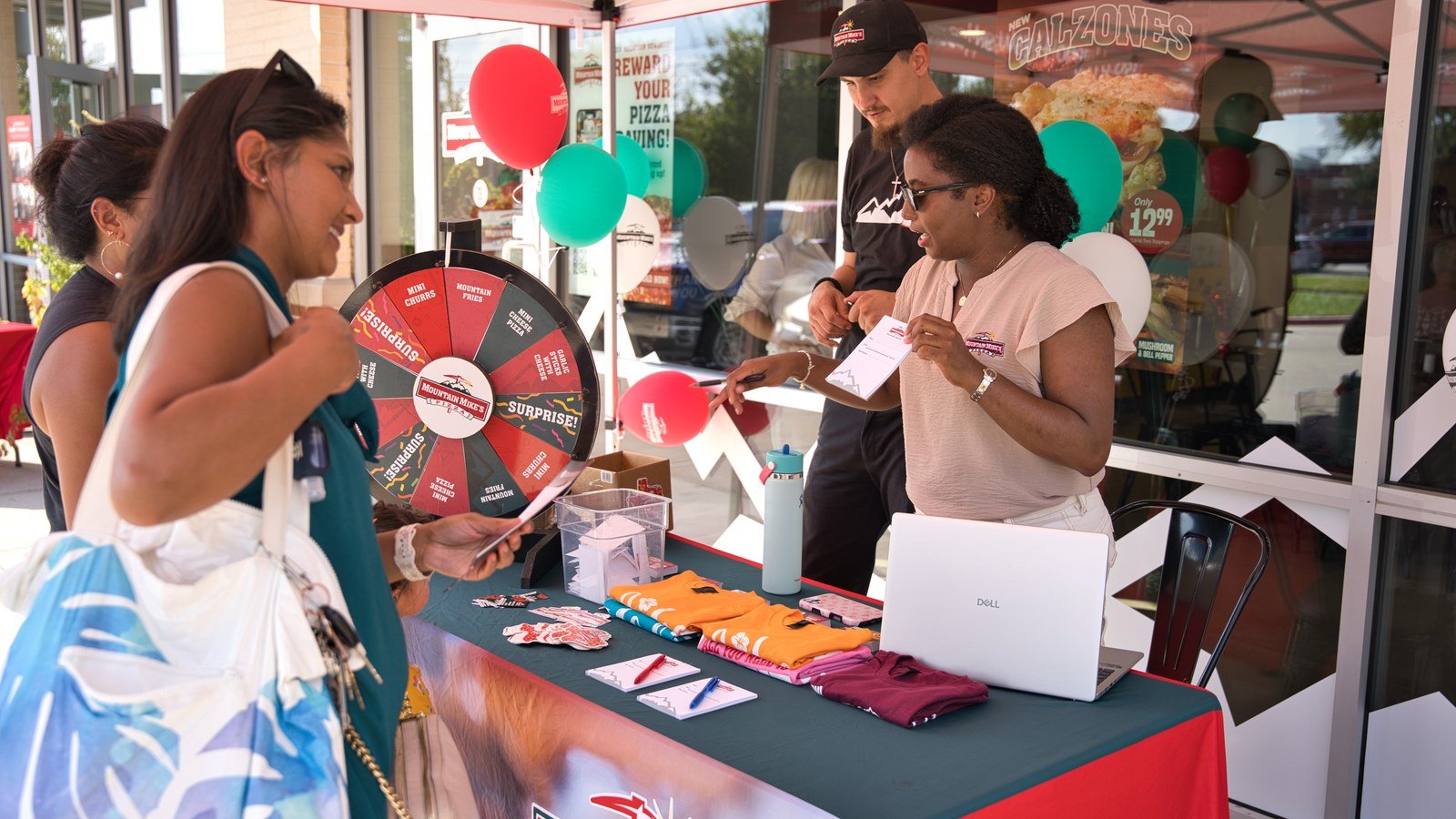
How Often Should You Post on Instagram? A Simple Schedule for Busy Owners
A practical Instagram posting schedule for busy local business owners: three feed posts a week, Stories a few times a week, and a plan you can actually keep.
Social Media Management for Small Business: DIY vs. Hiring Help
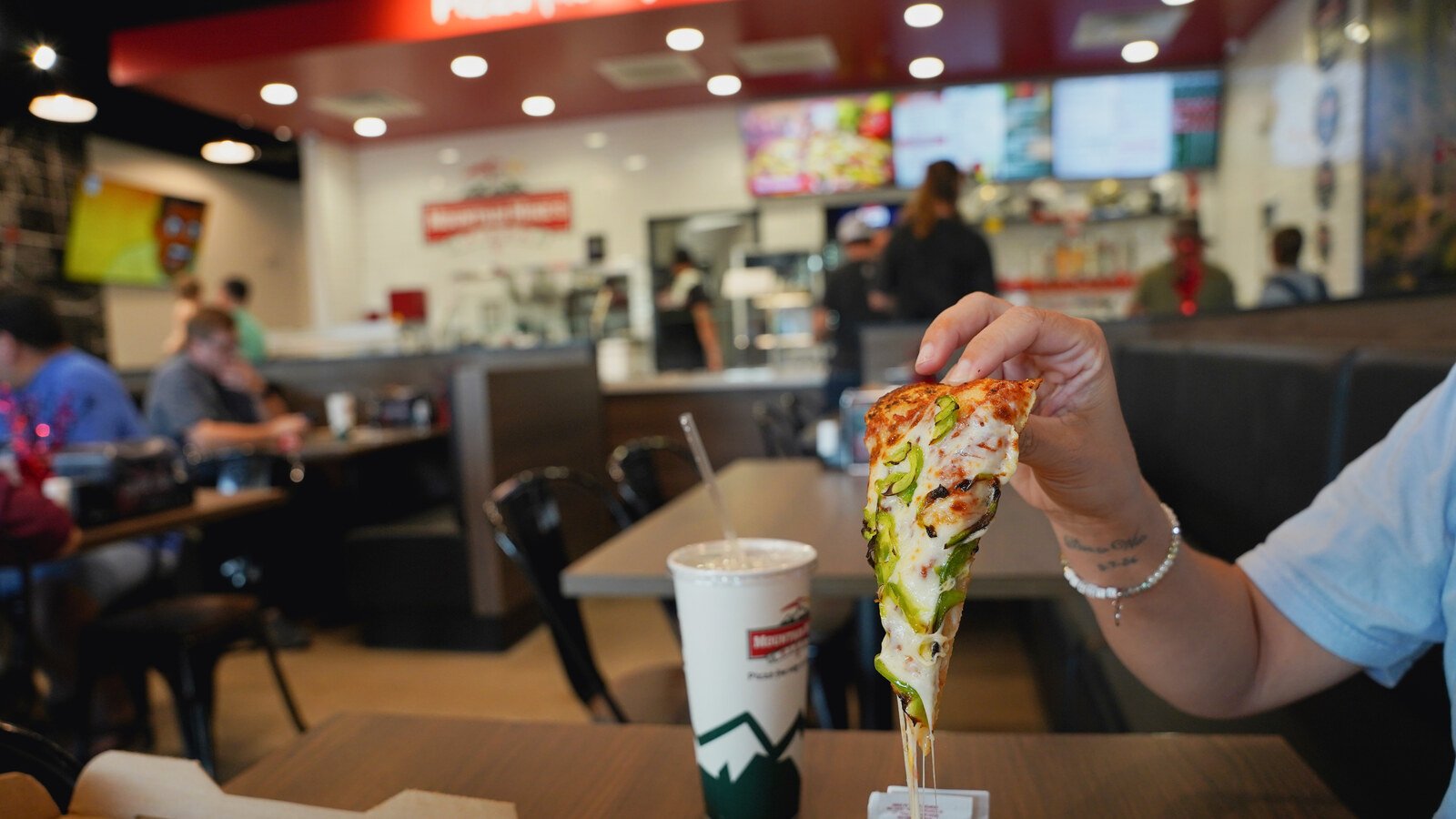
If you’re running a small business, social media can feel like another job on an already full schedule. The pizza box photos in this article come from a recent shoot we did with a local restaurant, and they illustrate a point worth making early: the content that works is rarely complicated. Social media management for small business includes much more than posting a photo: it involves setting a strategy, creating content, keeping a consistent cadence, engaging with your community, and learning from the results. You can manage it yourself, hire help, or combine the two. The right choice depends on how much time you can protect each week, what content your business needs, and whether posting is helping you reach your business goals, or becoming one more task you keep postponing. What social media management actually involves A useful social media presence is built through several connected tasks: Strategy: Choosing your priority platforms, audience, goals, and recurring content themes. Content creation and design: Writing captions and making posts that fit your brand. Photo and video: Capturing products, services, people, and everyday moments that help customers understand what you offer. Posting cadence: Planning when and how often to publish so your accounts stay active without overwhelming your team. Community engagement: Responding to comments and messages, and taking part in conversations with local customers. Analytics: Reviewing reach, engagement, and other useful signals to decide what to continue or adjust. Those pieces work together. Scheduling posts can make publishing more reliable, but scheduling alone won’t give you a plan, make a video, or respond to a customer’s question. The real time cost of DIY social media marketing The visible task is often the post itself. The less visible work is deciding what to say, finding or making an image, writing the caption, checking details, scheduling it, and keeping an eye on replies. As a practical starting estimate, set aside four to six hours a week for a modest, consistent DIY routine across one or two platforms. That can include planning and creating content, scheduling posts, and checking comments and messages. A hands-on approach with more frequent posts, video, and multiple platforms can take considerably longer. Treat these as planning estimates, not a promise: your workload depends on your content and process. A helpful test is to track your actual time for two weeks. Include content planning, taking photos, editing video, posting, and responding. Then ask: If you recovered those hours, what would you use them for in the business? Your time has value, even if you don’t pay yourself an hourly wage. When DIY makes sense, and when hiring can help DIY social media marketing may be a good fit if: You can consistently reserve time for it. You enjoy sharing your expertise and interacting online. You can gather useful photos or videos as part of your normal work. Your business can focus on one or two platforms for now. You’re comfortable testing ideas and adjusting as you learn. Hiring help may be worth exploring if posting repeatedly falls off your list, you need more original photos or video, or you want a strategy and publishing routine that doesn’t depend on your availability each week. It can also help when you’re spreading yourself across more platforms than you can manage well. There’s no rule that says every small business needs an agency. A steady, thoughtful presence on one suitable platform can be more realistic than trying to cover every platform at once. DIY approaches that can make the work more manageable If you want to keep social media in-house, a simple system can reduce the day-to-day scramble. Batch your content Choose a regular time, perhaps once or twice a month, to outline topics, draft captions, and prepare a set of posts. Repeatable themes help: introduce a team member, answer a common customer question, show a behind-the-scenes moment, highlight a product or service, or share a community update. Batching doesn’t mean every post should look or sound the same. It gives you a useful starting point when the week gets busy. Use scheduling tools A scheduler, including Meta Business Suite for eligible Facebook and Instagram publishing, can help you prepare posts in advance. Scheduling reduces the need to publish manually every day, but it doesn’t replace checking comments, replying to messages, or updating a post when something changes. Film with your phone You don’t need a large production setup to start making useful short-form video. Capture a quick process, a product detail, a team introduction, or an answer to a frequently asked question. Use natural light where possible, keep your phone steady, and make sure the sound is clear. Your phone can be a practical content tool. The key is choosing moments that show what makes your business worth visiting, booking, or buying from. What professional social media management adds Professional management can take the planning and recurring execution off your plate. Depending on the provider and the agreed scope, social media management services may include a content strategy, a monthly calendar, original post and video creation, captions, scheduling, community engagement, and performance reporting. At Kickin’ It Media Group, we work with local businesses in Keller, Southlake, and across DFW. Our approach connects strategy and content creation with ongoing posting and review. For visual content, that means showing the real people, products, and spaces behind a business, not relying on generic stock imagery to tell its story. For example, a local restaurant might have useful content in a team member preparing an order, a customer-facing moment, a new menu item, or the atmosphere of the dining room. Those scenes give people a more specific sense of the business than a generic food image can. Before you hire a social media agency, ask what the monthly work includes. Clarify: Which platforms will be managed? How many posts, videos, or Stories are included? Who creates the photos and video, and how often? Does the provider respond to comments and messages? What does the approval process
What Is Generative Engine Optimization? AI Search for Local Businesses
AI search tools summarize instead of listing links. Here is what generative engine optimization (GEO) means for a local business in Keller, Southlake, or DFW, and what to fix first.

Brand Development Strategy: Building a Brand People Remember
A brand development strategy is the practical plan for helping people recognize, understand, and trust your business. It goes beyond a logo: it connects what makes your business different with the words you use, the way you look, and the experience customers have with you. For a local business in Keller, Southlake, or DFW, that connection matters. Your brand should help a potential customer quickly understand what you offer, why it might be right for them, and what to do next. Here’s how to build that foundation without getting lost in abstract branding theory. What is a brand, beyond a logo? Your logo is one recognizable part of your brand. But your brand also includes the impressions people form when they see your website, read a social post, walk into your business, speak with your team, or hear about you from a neighbor. Think of it as a promise supported by an experience. A warm, approachable brand should feel welcoming in its messaging and in its customer service. A premium brand should reflect its value in the visuals, details, and quality customers encounter, not only in its price. A clear brand gives people a reason to remember you and a consistent idea of what choosing you will feel like. The three layers of a strong brand A useful brand development strategy brings three layers together. Each one answers a different customer question. 1. Positioning: Why choose your business? Positioning defines who you serve, what problem you solve, and what makes your approach distinct. It helps you move beyond broad statements such as “great service” or “quality products”, claims many competitors can make. Try completing this sentence: We help [specific customer] get [useful result] through [your distinctive approach]. For example, a local dental practice might focus on helping busy families feel comfortable and informed at every appointment. A boutique could specialize in personal styling and carefully selected pieces rather than trying to carry something for everyone. Good positioning doesn’t require an entirely unique product. It makes your particular value easier to see. 2. Messaging: What should customers understand? Messaging turns your positioning into clear, natural language. It includes your main promise, supporting points, tone of voice, and calls to action. Your homepage, service descriptions, social captions, and staff introductions don’t need identical wording. They should, however, reinforce the same core idea. If customers hear “personal, one-on-one guidance” in a conversation but see vague copy online, they may not understand what sets you apart. Choose a main message, then back it up with proof: your process, experience, products, customer feedback, or examples of your work. Keep claims accurate and specific. 3. Visual direction: What should your brand look and feel like? Visual direction includes your logo, colors, fonts, photography style, and the way these elements work together. The goal isn’t to decorate every channel. It’s to create a recognizable look that suits your business and your audience. A restaurant’s signature dish, a product’s packaging, or the details of a welcoming space can all help convey what the business is like. Original photographs of real people, products, and places make those details tangible. As we discuss in Not Just Pretty: Your Website Needs to Work for You, the imagery on your website should support the experience you actually provide. A step-by-step brand development strategy for your business You don’t need a large team or a complicated workshop to make a useful start. Work through these five steps, and write down your answers as you go. Step 1: Get to know your customer Describe the people most likely to choose you. What are they looking for? What questions do they ask before buying or booking? What might make them hesitate? Use what you already know: conversations with customers, common inquiries, reviews, and the reasons people return or refer others. A Keller restaurant might learn that customers value a relaxed family dinner as much as the menu. A professional service firm might find that new clients want a clear explanation of what happens after the first call. The more specifically you understand your customer, the easier it is to make your brand relevant. Step 2: Define your position in the local market Look at how nearby businesses describe similar services. Don’t imitate their language; use the comparison to spot where you can be clearer. Ask yourself: Who do you serve especially well? What do you do differently, or with a different level of care? What can you show that supports this difference? What should customers remember after comparing options? Your answer should be credible and useful, not a claim that you’re “the best” without evidence. The U.S. Small Business Administration’s guide to market positioning offers additional context for thinking about how your business stands apart. Step 3: Nail your core message Write a short statement that explains what you offer, who it’s for, and the value customers can expect. Then list two or three supporting details that make it believable. For example: Main idea: Custom cakes for celebrations that feel personal. Supporting details: Made to order, local pickup, and a consultation to discuss the design. This is a working foundation, not necessarily a public tagline. Use it to guide your homepage, social profiles, service descriptions, and conversations with customers. Step 4: Build a visual system you can use Choose a small set of colors and fonts, identify the right logo versions, and decide what kinds of photographs fit your business. Consider how the visual style should feel: energetic or calm, refined or playful, traditional or modern. Make the choices practical. If only one person knows which logo file to use or what colors are approved, the system is hard to maintain. A simple brand guide can include your logo files, color codes, fonts, photo guidance, and a few examples of how to apply them. Step 5: Apply it consistently across customer touchpoints Start with the places customers are most likely to encounter you: your website, Google Business Profile, social accounts, storefront or office, menus

Website Redesign Cost: What Local Businesses Should Expect to Pay
For a local business, a website redesign can cost a few thousand dollars for a focused template-based refresh, around $5,000–$15,000 for a professionally planned small-business site, and $15,000 or more for custom features or complex projects. The right budget depends on what your site needs to do, not just how many pages it has. This guide breaks down common price ranges, what affects the total, and how to plan a redesign that helps turn local search visits into calls, bookings, and sales. Website redesign cost: realistic planning ranges These are broad U.S. estimates for small-to-medium businesses. Your actual quote will depend on the platform, project scope, and what you provide. Redesign approach Typical planning range What it may include DIY website builder $200–$600 per year, plus your time Builder subscription, basic template, and owner-managed copy, images, setup, and updates DIY with professional setup help $500–$2,500, plus platform costs Template setup, styling, migration help, or troubleshooting Freelancer or template-based redesign $2,000–$8,000 A streamlined, mobile-friendly site using a template, often with a defined page count Local agency redesign $5,000–$15,000 Commonly a 5–15-page lead-generation site with strategy, design, build, and basic search setup Custom or feature-heavy redesign $15,000–$35,000+ Custom design, extensive content, advanced integrations, e-commerce, or multiple locations Think of these as starting points, not guaranteed quotes. A proposal at the low end may exclude copywriting, photography, search setup, or launch support. Compare what each price actually covers. For a typical local service business, $5,000–$15,000 is a useful planning range for a professional redesign with clear goals, core pages, and basic SEO groundwork. The goal isn’t to buy the most expensive site. It’s to invest in the right pieces for your business. What drives website redesign cost? The number and type of pages A five-page site with Home, About, Services, Contact, and a few FAQs is a different project from a 20-page site with service-specific landing pages, location content, a blog archive, and a large portfolio. Page count matters, but page complexity matters too. A page that explains one service may be straightforward. A location page that needs original content, local proof, and a tailored call to action takes more planning. Template customization versus custom design A good template can be a practical, cost-conscious foundation. It can provide a professional appearance and responsive layouts without the time and expense of designing every element from scratch. Custom design gives you more control over the customer journey, brand presentation, and page layouts. That can be worthwhile if your business has specific needs, but custom does not automatically mean more effective. Focus on whether the design supports a clear next step for customers. Copywriting, photography, and brand content If you already have accurate service information and strong photos, your project may move faster. If your site needs fresh messaging, rewritten service pages, brand photography, or video, those are additional parts of the investment. Authentic visuals can help customers picture the experience of working with or visiting you. A real salon interior, storefront, or menu item gives local visitors a better sense of your business than generic stock imagery. Booking, e-commerce, and other integrations A simple contact form usually costs less to set up than appointment booking, online payments, product inventory, or connections to a customer relationship management (CRM) system. Before you include a feature, ask what job it needs to do. For example, a booking tool may reduce phone tag for a salon or clinic. An online store may be essential for a retailer but unnecessary for a business that relies on quote requests. SEO, GEO, and migration work Search groundwork helps your redesigned site remain understandable to search engines and useful to local customers. It may include page titles, headings, mobile checks, analytics, and a plan for old URLs that are changing. GEO, or Generative Engine Optimization, is the practice of making your business information clear and consistent for AI-powered search tools as well as traditional search. It’s built on useful content and accurate business details, not a shortcut or ranking guarantee. A redesign should also account for the site you’re replacing. If important page URLs change, redirects help visitors and search engines find the right new page. Shopify’s website redesign SEO guide explains why preserving useful pages, links, and content matters during a redesign. DIY builder or professional redesign? A DIY builder can be a good fit if you’re starting out, have a small budget, and can devote the time to planning, writing, building, and updating the site yourself. You get control and a lower cash cost, but you’re also responsible for making the site clear, mobile-friendly, and easy to find. A professional can help with strategy, design, content, technical setup, and launch checks. That’s especially helpful when your current site is losing leads, your services have changed, or you need booking, search, or migration work handled carefully. The difference isn’t simply “cheap versus expensive.” It’s your time and the support you need. If a builder lets you launch a clear, usable site that meets your needs, it may be enough. If it leaves you stuck with unclear messaging or a broken customer journey, professional help may be the better value. Costs business owners often miss A low initial quote can leave out important items. Ask whether the proposal includes: Copywriting or editing: Clear service pages take time to write and refine. Photography and image licensing: New photos, licensed stock images, and image preparation may be billed separately. Bookings, forms, and integrations: Some tools have setup fees as well as monthly subscriptions. Hosting, domain, and software: These recurring costs may continue after launch. Maintenance and security: Updates, backups, and troubleshooting can be part of a care plan or billed as needed. Migration and redirects: Moving platforms or changing URLs may require extra work to protect existing search visibility. Additional revisions or pages: Confirm how many are included and how out-of-scope requests are priced. For a storefront, restaurant, or other customer-facing local business, photos are often part of the first impression. Plan for them

TikTok Content Ideas for Businesses That Aren’t Gen Z
Think TikTok is only for teenagers, dance trends, and viral jokes? It can also be a useful way for local businesses to show what they do, answer customer questions, and introduce themselves to people nearby. The best TikTok content ideas for your business don’t require a Gen Z voice, a studio, or a daily dance routine. Start with a phone, a few minutes, and the things customers already ask you about: what you offer, how it works, who you serve, and what makes your business worth visiting. For a restaurant in Keller, that might be a look at how a dish comes together. For a Southlake boutique, it could be three ways to style a new arrival. For a dental practice, it might be a friendly answer to a common question. Keep it useful, natural, and unmistakably yours. Why TikTok can work for local businesses TikTok is a short-form video platform, but you don’t have to make content that feels designed for a young audience. People use video to discover places, learn something quickly, and get a sense of the people behind a business. A helpful, approachable video can speak to the customers you already want to reach. Think of it as a way to show your business in action, not as a requirement to chase every trend. TikTok’s creative guidance for businesses emphasizes building ideas around your brand and audience. That’s a much better starting point than trying to copy a format that doesn’t fit. 12 TikTok content ideas for local businesses 1. Give a quick behind-the-scenes look Show a real moment from your workday: a restaurant getting ready for dinner, a boutique unpacking a new delivery, or a team setting up a treatment room. A short clip can help viewers picture the experience before they visit. 2. Answer one question customers ask all the time Make a video that starts with the question: “Do I need an appointment?” “What should I bring to my first visit?” “Can I order this to go?” Answer clearly, then tell viewers where to find more information. For medical and dental practices, stick to general educational information. Avoid sharing private patient details, and don’t promise particular outcomes. 3. Introduce the owner or a team member A quick introduction helps put a human face to the business. Try: “I’m [name], and I help [type of customer] with [specific need] here in [city].” Keep it conversational. You don’t need a polished speech, just a clear introduction and a welcoming smile. 4. Demonstrate one helpful tip Share one small piece of expertise that a customer can use. A boutique might show how to choose a versatile layer; a restaurant could explain how to reheat a dish; a professional service provider might clarify one commonly misunderstood term. One tip is enough. Save the full tutorial for another video. 5. Show a product or service in action A static description tells people what something is. A video can show how it looks, feels, or works. A restaurant might film a dish being plated, while a boutique could show the fit and details of a new item. A service business can demonstrate a simple step in its process, without revealing confidential information. 6. Walk viewers through what to expect First visits can feel uncertain. Make a simple “what happens when you visit us” video: where to park, how to check in, what the space looks like, or how to book. This can be especially helpful for professional offices and medical or dental practices. 7. Share a local recommendation or neighborhood moment Connect your business to the community you serve. You could mention a nearby landmark, show a familiar stretch of downtown, or share a local event you’re looking forward to. Keep the location details accurate and relevant; avoid adding a city name just to attract views. 8. Feature a frequently chosen favorite Tell viewers about a menu favorite, a popular service, or a product customers often ask about. Explain who might like it and why. For example: “If you want a quick lunch near downtown, here’s one of our most-ordered sandwiches.” Keep the recommendation honest and specific. 9. Show a before-and-after, with permission A transformation can make a process easy to understand: a refreshed display, a finished dish, a styled outfit, or a completed project. If people, client property, or identifying details appear, get permission before filming or posting. In healthcare settings, take extra care to protect privacy. 10. Reply to a comment with a video A real comment can give you your next topic. If someone asks about sizing, booking, parking, or your service area, answer on video. This makes the post feel like a conversation and gives other potential customers useful information, too. 11. Share a short local business story What inspired you to open? What do you want customers to feel when they visit? Why did you choose this neighborhood? You don’t need to tell your whole history in one post. Share one small, genuine detail. 12. Make a simple “three things to know” video Use a repeatable format, such as “Three things to know before your first appointment” or “Three ways to wear this piece.” These videos are easy to plan because they follow a clear structure: introduce the topic, share three points, and finish with a helpful next step. A simple phone-first filming routine You can get started without buying equipment. Find a reasonably quiet spot with good natural light, hold your phone vertically, and clean the camera lens. Speak clearly and keep the point of the video focused on one topic. A straightforward structure makes filming easier: Open with the subject: “Here’s what to expect at your first visit.” Show or explain one useful thing: Keep the video focused. Close with one next step: Invite viewers to save the video, ask a question, book, or visit. Add on-screen captions so the video is easier to follow without sound. Keep important text away from the edges where app controls may cover it. TikTok’s

Why Real Photos Beat Stock: Lessons From Our Client Shoots
When someone finds your business online, they’re trying to picture what it will be like to work with you, visit your shop, or buy your product. Real photos help answer those questions. They show the people, place, products, and everyday details that make your business yours. For small businesses in Keller, Southlake, and across DFW, that’s practical marketing, not just a visual preference. Stock photos can fill a gap, but they can’t show a potential customer the team they’ll meet or the space they’ll walk into. Our client shoots bring us back to a simple idea: the strongest images give people a truthful preview of your business. Stock looks polished. Real looks like you. Stock photography is convenient. You can find an image quickly, and it can look clean and professional. But a generic image of a smiling employee or a stylish storefront could belong to almost any business. It doesn’t show what makes yours different. A photo of your actual team, service, or setting offers something stock can’t: proof. A salon team portrait shows who may welcome a new guest. A photograph of a real menu item lets a diner see what’s on the table. An image of your actual location can help a first-time visitor recognize the entrance. That distinction matters when a person is deciding whether to take the next step. Your photos don’t need to tell your entire story. They should help people see that there’s a real business, and real people, behind the name. What research says about real business photos A BrightLocal study polled more than 4,000 U.S. consumers and asked which local-business website they trusted most when identical mockups displayed different kinds of images. Overall, 46% trusted the site showing a genuine business-owner photo most, compared with 33% for a generic product or office image and 21% for a site without an image. In a separate comparison, 64% said they trusted a real business-owner photo more than an obvious stock-style image. The study dates to 2014, so it’s worth treating as useful context rather than a current forecast. It also measures stated trust in mockups, not sales. Still, it points to an important local-business challenge: customers want to know who they’re dealing with. Research from UF/IFAS offers a related social-media example. In a study of one agricultural outreach organization’s Facebook posts, posts with natural photos (photos the organization took itself) had a higher average engagement rate than those with stock photos, and the difference was statistically significant. The authors note that the research was limited to a single organization, so it shouldn’t be treated as a promise of results for every business. Their practical recommendation is sensible: use your own relevant photos when you can, and use stock rather than posting with no visual at all. The takeaway isn’t “stock never works.” It’s that real photography can make your marketing more specific, recognizable, and useful to people deciding whether your business feels right for them. What we notice on client shoots A business shoot is about more than collecting a few attractive pictures. It’s a chance to capture the evidence that helps people understand the experience you offer. In our work, that can mean photographing a team in its real setting, capturing the atmosphere and details of a business interior, or showing a product or dish as it actually appears. The right images vary by business. A professional service provider may need approachable portraits and scenes that explain how a first meeting works. A restaurant may need images of its food, dining space, and the people behind the service. A local shop might benefit from pictures of its products, staff, and storefront. We plan shoots around how you’ll use the images, whether that’s your website, social media, or other marketing. The goal is to create a useful visual library, not a folder of pictures that never makes it into your marketing. You can see examples of the types of work we create in our photography and video portfolio. Real photography helps customers picture the experience What does a first visit feel like? Who might greet a customer? What does the product look like outside a carefully worded description? These are everyday questions, but they influence how comfortable someone feels reaching out. Try using photos to answer them: For a service business: Show the owner or team, the tools or process involved, and what a customer can expect at an appointment or consultation. For a restaurant or café: Photograph actual menu items and the dining atmosphere. A real photo helps people picture both the food and the setting. For a salon, studio, or shop: Show the real interior, team, products, and details a first-time visitor might want to recognize. For a product business: Photograph the product at its true size, in use, and from angles that help customers understand its materials or features. These images can work across your website and social channels. One photo of a real team interaction might support an “About” section, a social post, or a short introduction to your service. That gives each image more value, and saves you from starting from scratch every time you need to post. If you’re short on time, start small. Use your phone to capture one genuine moment at work this week: opening the shop, preparing an order, setting up a room, or finishing a project. Look for good natural light, keep the subject clear, and ask permission before photographing customers or sharing their images. A professional shoot can build a broader library, but you don’t have to wait for one to begin showing more of your real business. A practical plan for better business photos You don’t need an elaborate production plan to get started. Begin with a short list: Choose the questions your customers ask. What do they want to know before they call, book, visit, or buy? Match each question to a photo. If people ask what your space looks like, capture the space. If they want to meet

SEO for Local Businesses: A Plain-English Guide to Showing Up in Keller, Southlake, and DFW
If you’ve been told your business “needs SEO” and wondered what to do first, here’s the plain-English answer: local SEO helps nearby customers find your business when they search online for the products or services you offer. It combines an accurate Google Business Profile, helpful website pages, consistent business information, and a trustworthy reputation. For a Keller salon, a Southlake dentist, or a DFW-area restaurant, the goal isn’t simply to appear in search. It’s to help the right local customer find you, and make it easy for them to call, visit, or book. What local SEO is, and how it differs from regular SEO Search engine optimization, or SEO, is the work that helps your website appear in unpaid search results. Local SEO focuses on searches with local intent: someone is looking for a nearby business, a service in a particular city, or a place they can visit. Regular SEO might help a nationwide business rank for “how to choose a coffee grinder.” Local SEO is more concerned with “coffee shop near me” or “best brunch Southlake.” Google says local results are shaped by relevance, distance, and prominence. In everyday terms: Does your business match the search? How close is it to the searcher or the place they named? And how established and trusted does it appear? That’s why a business may show up prominently in Keller but not in every search across DFW. You can improve your information and reputation, but you can’t control where the searcher is. Google’s guide to improving local ranking explains the basics, and notes that businesses can’t pay Google for better local organic rankings. Start with your Google Business Profile Your Google Business Profile is the business listing that can appear in Google Search and Maps. It’s often one of the first things a nearby customer sees, so accuracy matters. Claim or verify your profile, then check that it has: Your real business name, correct address or service area, and current phone number Accurate business hours, including holiday hours The most relevant primary business category A useful description, services, website link, and booking or contact link if applicable Recent, authentic photos of your location, team, products, or work Keep the details consistent with how you represent your business elsewhere. Don’t add city names or services to your business name unless they’re genuinely part of its real-world name. And if you serve customers at their location rather than at yours, follow Google’s rules for service-area businesses instead of creating extra listings for each city. Google’s business representation guidelines explain what’s allowed. A local storefront can also help customers recognize you when they arrive. But a listing is not a substitute for a useful website: the profile and your site should support each other. Find the phrases customers actually use Local keyword research doesn’t need to start with a complicated tool. Start with your customers’ words. What do they ask when they call? What do they type into Google when they’re ready to choose a business? Try combining your service with a location or need: “Dentist near me” or “family dentist Keller” “Best brunch Southlake” “Barber in Keller TX” “Emergency plumber near Southlake” “DFW commercial photographer” Search Google’s autocomplete suggestions, look at the wording on competitors’ service pages, and ask recent customers how they found you. If you have access to Google Search Console or your Business Profile performance data, use that information to see which searches are already bringing people to your business. Focus on phrases that signal a real need, not just a large search volume. Someone searching for “best brunch Southlake” may be deciding where to eat this weekend. Someone searching “what is brunch” is probably at a different stage. Make your website clear for people and search engines Your website should quickly answer three questions: What do you offer? Where do you serve customers? What should a visitor do next? A few practical on-page basics make a good starting point: Write descriptive page titles. A page title is the clickable headline that can appear in search results. For example, “Family Dentist in Southlake, TX | [Business Name]” tells people what the page is about. Give each key service its own useful page. Explain who the service is for, what’s included, and how to get started. A visitor looking for teeth whitening shouldn’t have to dig through a general services page to find it. Create location pages only when they offer something useful. A Southlake page should include relevant service details, local experience, directions, or customer examples, not just swap “Keller” for “Southlake” on an otherwise identical page. Keep your business details consistent. Your name, address, and phone number, often shortened to NAP, should agree across your website, Google profile, and key directories. Make contacting you easy on a phone. Show a clear phone number, contact option, and next step where customers can find them. We cover more of the website side in our guide to building a small-business website that works for you. Build trust with reviews and local citations Reviews help potential customers decide whether to contact you. They also contribute to how established your business appears. Make asking for feedback a simple, consistent part of your customer experience: send a polite request after a completed appointment or purchase, and make it easy to leave an honest review. Respond professionally to positive and negative feedback. A thoughtful reply can show future customers that a real person is paying attention. Don’t buy reviews, offer rewards in exchange for them, or ask customers to include specific keywords. The best review process is straightforward and genuine. Local citations are mentions of your business on websites such as relevant directories, industry listings, or a local chamber directory. You don’t need hundreds of listings. Start by correcting important ones, removing outdated details where you can, and making sure your information matches across the places customers are likely to look. Where AI search and GEO fit in People are increasingly using AI-powered search tools to ask
How to Create Reels: A Beginner’s Guide for Busy Local Business Owners
If video feels like one more thing on your already-full to-do list, start small. You can create a useful Instagram Reel with a phone, a few minutes of planning, and a clear idea to share. You don’t need a studio, a complicated script, or a new video every day. Reels can help your business introduce itself to people who don’t follow you yet. For local businesses in Keller, Southlake, and across DFW, the most effective videos show real people, useful information, and what it’s like to work with or visit you. Here’s a beginner-friendly process: choose one idea, film a few short clips, make simple edits, add a clear caption, and post. Then notice what your audience responds to and use that to plan the next one. Why Reels can help your local business get noticed A Reel gives you a quick way to show what a photo or block of text may not: your process, your personality, your space, or the result you deliver. It can help a potential customer get a feel for your business before they visit, call, book, or send a message. Reels may also reach people who don’t already follow your account, which makes them useful for local discovery. That doesn’t mean every video will take off, or that views automatically turn into sales. Your goal is to reach people who could realistically become customers and give them a helpful reason to remember you. Instagram’s Reels feature is one way to share short-form video. A local Reel can introduce your team, answer a common question, or show a product in use. Keep the location and service clear, and make it easy for viewers to understand what to do next. A simple process for creating your first Reel 1. Plan one small idea Don’t try to explain your entire business in one video. Pick one question a customer often asks or one moment that shows what you do well. Use this simple outline: Opening: Name the question or show the result right away. Middle: Share one tip, demonstration, or behind-the-scenes moment. Close: Offer one next step, such as saving the video, visiting your shop, or sending you a message. For example, a Keller café might show how a popular pastry is finished, then invite viewers to stop by. A Southlake dental practice could answer one common question about a first appointment. One useful point is enough. Write a few words to guide yourself, but don’t worry about memorizing a script. Talking naturally often feels more approachable than trying to sound like a commercial. 2. Film on your phone Your phone is enough to get started. Before recording, wipe the camera lens, turn your phone vertically, and choose a bright, quiet spot. Face a window or another soft light source so people can see you clearly. If you’re filming a product or a process, get close enough to show the details. Try recording several short clips rather than one long take. You might capture a quick introduction, hands at work, a close-up, and the finished result. Short clips are easier to trim and can make the finished video feel more active. If you’re speaking, look toward the camera lens and pause briefly between thoughts. If you don’t want to be on camera, that’s fine. Film your workspace, products, team, or service in action, then add a short voiceover or text explanation. 3. Edit for clarity, not perfection You can make basic edits in Instagram or a phone video editor. Put your clips in a natural order, trim out long pauses and false starts, and make sure the first moment tells viewers what they’re watching. Add on-screen text when it helps someone understand the video quickly, especially if there’s important context that isn’t immediately visible. Keep text large and readable, and avoid placing it right at the edges of the screen where app controls may cover it. If you add music, keep it low enough that people can still hear you. Captions are helpful for viewers watching without sound and for accessibility. Check automatic captions before posting: names, local terms, and industry language may need corrections. The aim isn’t to make a film. It’s to make your message easy to follow. 4. Write a caption with local context Your caption can explain the Reel, add useful details, and tell viewers what to do next. Mention your service and area naturally when relevant. For example: Looking for a thoughtful gift in Southlake? Here are three locally made favorites from our shop. Stop in this week or message us if you’d like help choosing one. Add a relevant location tag when it makes sense. Use a few hashtags that actually describe your business, service, or community rather than a long list of broad tags. A clear caption matters more than trying to include every possible search term. 5. Post, then pay attention Before sharing, watch the Reel once from beginning to end. Check that the video is clear, the captions are accurate, and the call to action makes sense. Then publish it and respond to comments or messages. After a few days, check the available insights. Look beyond likes: did people save or share it, visit your profile, ask a question, or take another meaningful step? A modest number of local views that leads to a real inquiry may be more valuable than a much larger audience that’s nowhere near your service area. Reel ideas for local businesses You don’t have to chase every trend. Start with content your customers already care about: Answer a frequent question: “What should I bring to my first appointment?” Show a process: Film a dish being prepared, an order being packed, or a service being set up. Introduce a team member: Share their role and one thing they enjoy about serving local customers. Give a quick tip: Explain one way to care for a product or prepare for an appointment. Show a before and after: Get permission where needed, and explain what changed.