Why Reels Creation Is One of the Best Things You Can Do for Your Small Business
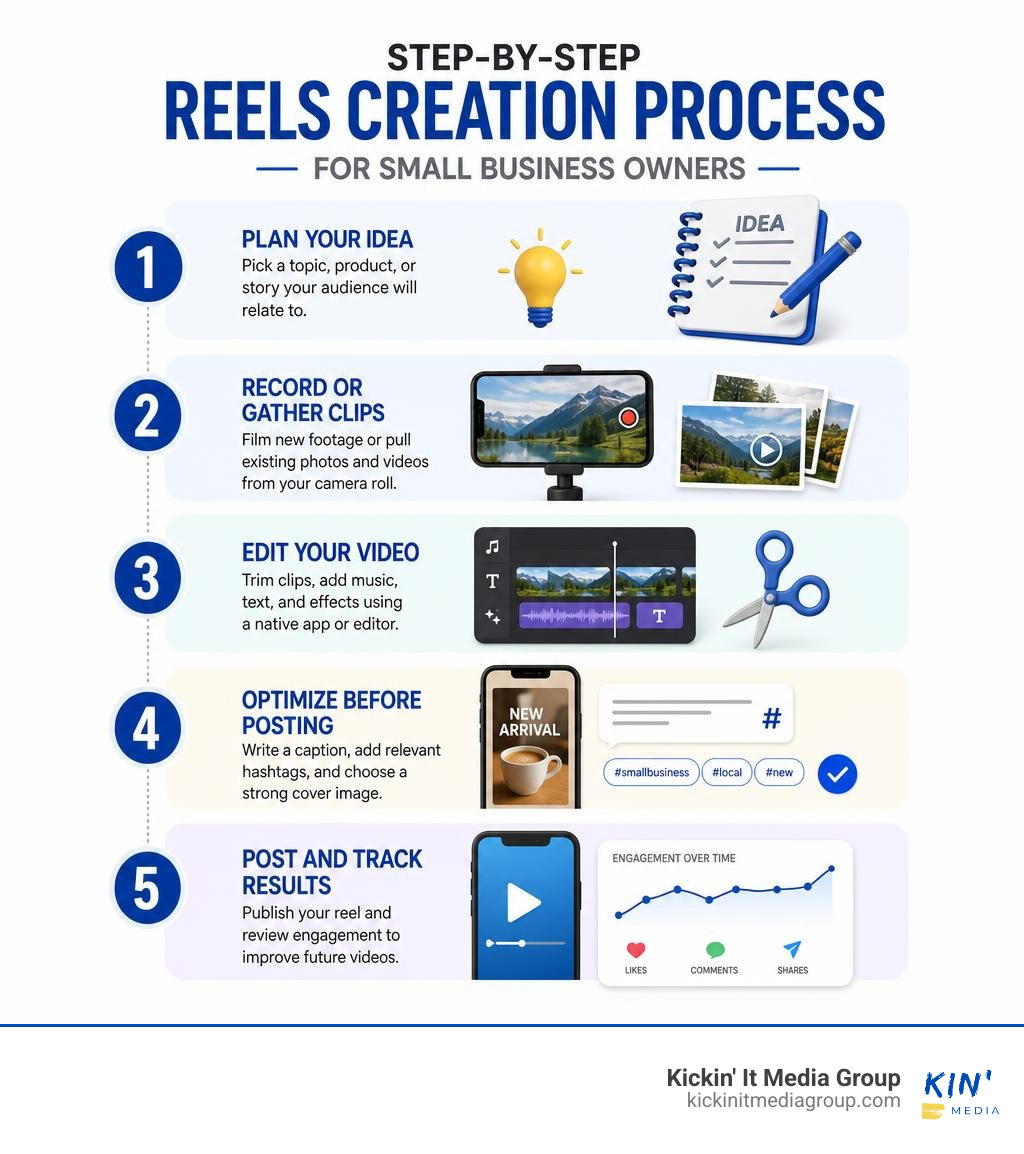
Reels creation is the process of making short, engaging vertical videos (usually 15 to 90 seconds long) to share on platforms like Instagram and Facebook. Here is a quick overview of how it works:
- Plan your idea – Pick a topic, product, or story your audience will relate to.
- Record or gather clips – Film new footage or pull existing photos and videos from your camera roll.
- Edit your video – Trim clips, add music, text, and effects using a native app or third-party editor.
- Optimize before posting – Write a caption, add relevant hashtags, and choose a strong cover image.
- Post and track results – Publish your reel and review engagement to improve future videos.
No fancy equipment required. Many successful reels are made entirely on a smartphone.
Short-form video has become one of the most powerful tools a local business can use to get noticed online. By August 2026, reels are being reshared over 3.5 billion times daily across Facebook and Instagram alone. That kind of reach was once reserved for big brands with big budgets. Now, a small business in Keller can film a 30-second video on a phone and potentially reach thousands of new customers.
The best part? You do not need to be a filmmaker or a marketing expert to get started. If you can record a video on your phone, you can make a reel.
I’m Ashley Stone, founder of Kickin’ It Media Group, and I’ve helped local small businesses in the Fort Worth area build their online presence through video, branding, and social media strategy, including reels creation that actually drives results. In this guide, I’ll walk you through everything you need to know to get started and grow.
Essential Tools and Platforms for Reels Creation
When you jump into reels creation, you might wonder if you need expensive cameras or confusing editing tools. The short answer is no. Most successful social videos are filmed on standard smartphones. Modern phones offer high-definition 1080p or 4K recording capabilities, which is more than enough for crisp social media video playback.
To build a streamlined video workflow, you just need a clear understanding of native platform editors and popular third-party editing applications.
If you want to keep things simple, learn to use native editing tools inside Instagram and Facebook. These built-in camera and timeline tools allow you to record video clips directly, set recording timers, apply filters, layer text, and add music. If you want to dive deeper into official platform best practices, check out Level Up with Instagram Reels for first-party guidance.
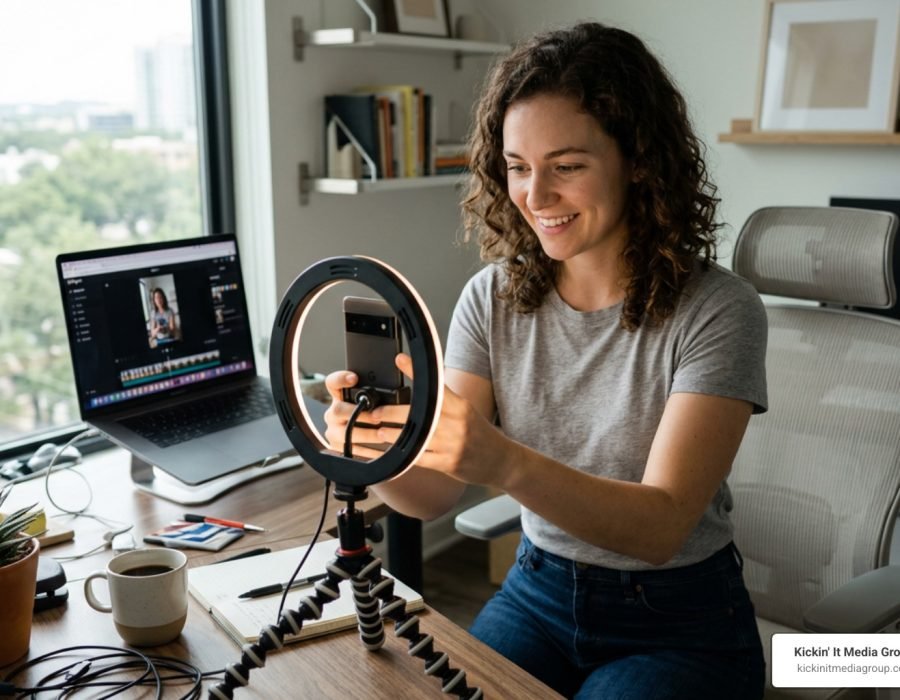
For creators who prefer pre-filming clips, having a basic physical setup helps tremendously. Using a modest smartphone tripod and natural lighting from a window can instantly raise video quality. For a deeper breakdown on building a low-stress recording space in your shop or office, review our guide on how to Achieve Studio Quality Results with Simplified Video Setup.

Comparing Instagram, Facebook, and Mobile Apps
Understanding where to edit and post your videos depends on your business goals, target demographic, and preferred editing speed.
Instagram offers a vibrant, visually driven community. Native features like Trial Reels allow professional accounts to test fresh video ideas exclusively with non-followers before sharing them publicly with existing followers. Instagram also allows you to layer up to 20 distinct audio tracks in a single reel, complete with visual alignment tools to match text and clip cuts.
Facebook Reels taps into a massive global audience. Over 616 million people watch Facebook Reels, making up over 31 percent of the platform’s ad reach. Facebook video viewers tend to engage heavily through comments and shares, making it ideal for local service providers, community organizations, and retail shops across Southlake and Trophy Club.
Third-party video mobile apps provide dedicated timeline editing, advanced speed ramps, keyframe animations, and template libraries. Apps like Adobe Express, Renderforest, Mojo, and Storybeat make assembling clips incredibly fast.
Here is how native social platform editors compare against dedicated third-party editing apps:
| Feature / Capability | Native Editors (Instagram & Facebook) | Third-Party Editing Apps |
|---|---|---|
| Ease of Use | Very high; direct in-app capture | High; simple drag-and-drop layouts |
| Audio Library Access | Full access to platform sound libraries | Royalty-free tracks or user uploads |
| Platform Algorithms | Favored for native features like Trial Reels | Clean MP4 exports avoid watermark penalties |
| Multi-Platform Batching | Requires posting separately per app | Export once and share across all channels |
| Template Availability | Basic native templates | Thousands of customizable niche templates |
| Brand Kits & Consistency | Limited custom font integration | Save exact hex colors, custom logos, and brand fonts |
Harnessing AI for Reels Creation
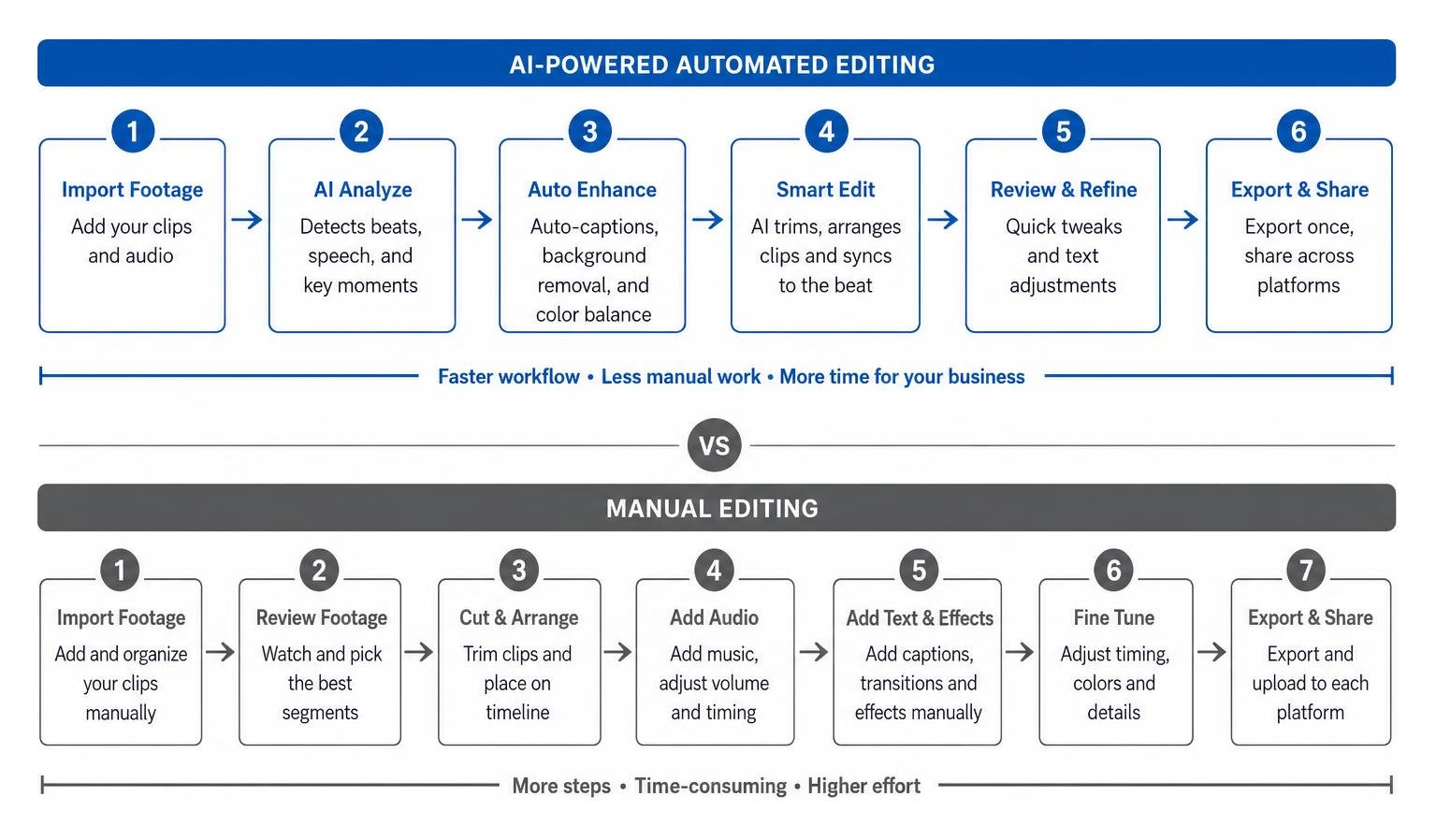
Artificial intelligence features have streamlined reels creation, making video assembly manageable even if you have zero background in video editing.
AI-powered features save small business owners hours of manual work every week:
- Auto-Captions: AI transcription tools listen to your spoken voiceover and generate accurate on-screen captions automatically. Since many viewers watch videos with the sound off in public, readable captions keep viewers watching longer.
- Background Removal: With one tap, AI tools can remove busy backgrounds behind products or people, allowing you to insert custom colors, storefront photos, or graphical overlays.
- Script Prompt Generators: If you suffer from writer’s block, AI prompt assistants can generate catchy video script outlines, educational bullet points, or attention-grabbing openers based on a simple topic prompt.
- Automatic Beat Syncing: AI template editors analyze background music tracks and automatically align your video clip cuts to the musical beat, producing dynamic pacing instantly.
Designing Content that Drives Organic Engagement
A successful reel does not depend on viral luck. It relies on thoughtful design choices that capture attention immediately and keep scrollers interested.
The first two seconds of your video determine whether a viewer continues watching or swipes away. We call this the visual hook. You can create a strong hook by starting with movement, placing clear on-screen text that states the core benefit of your video, or showing an interesting reveal.
Relatability is another critical driver of organic reach. Content that makes your audience say, “That is literally me,” or “I needed to hear that today,” gets shared in group messages and posted to personal stories.
To maintain long-term audience trust, maintain brand consistency even when trying fun video trends. Keep your messaging aligned with your brand values, and use cohesive color palettes and typography. If you are struggling with daily ideas, read our guide on What Should I Post Today? 7 Go-To Content Ideas for Local Businesses to keep your content calendar full.
Step-by-Step Reels Creation Strategy
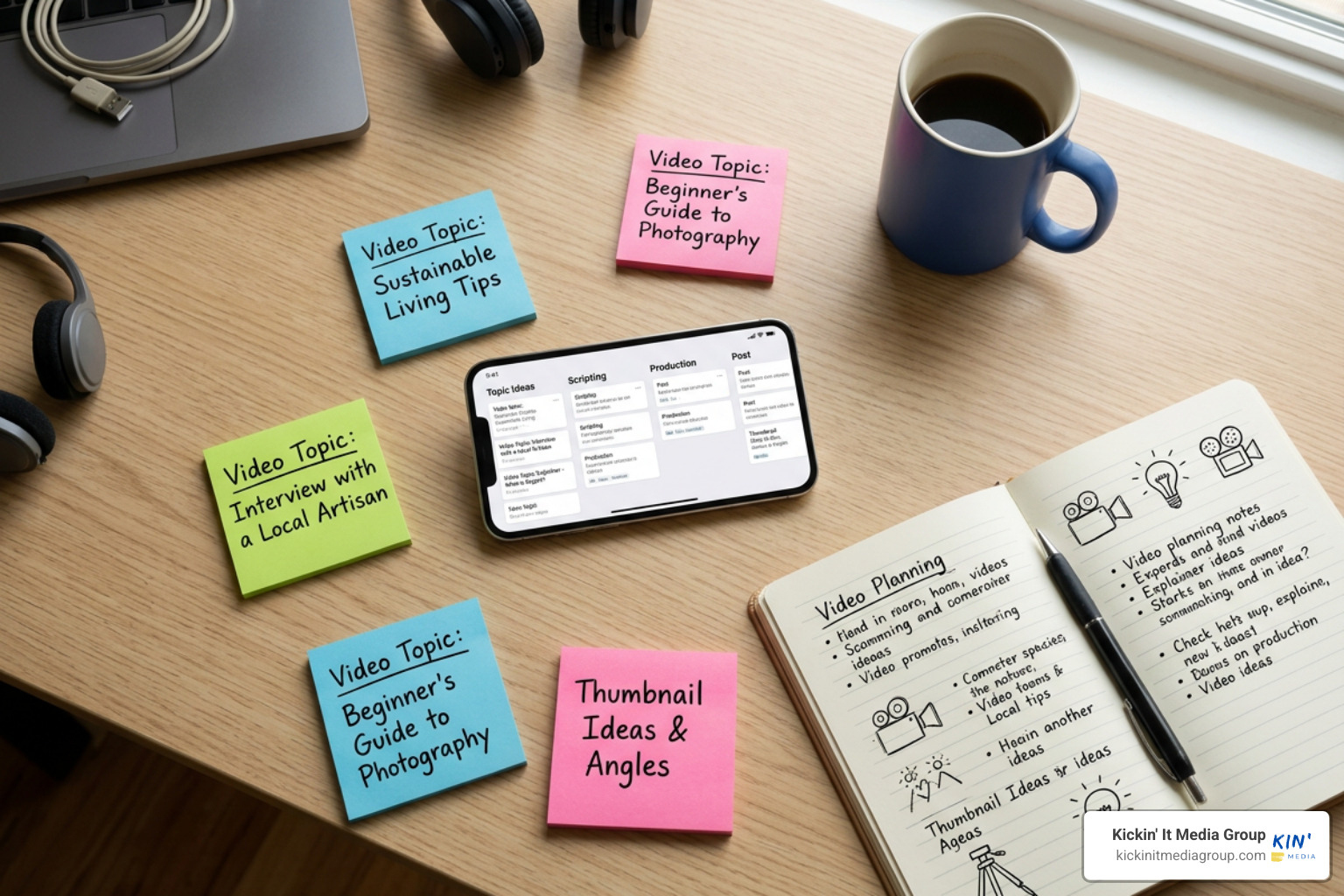
Developing a repeatable strategy takes the stress out of video publishing. When you follow a structured step-by-step framework, reels creation becomes an easy habit rather than a daunting chore.
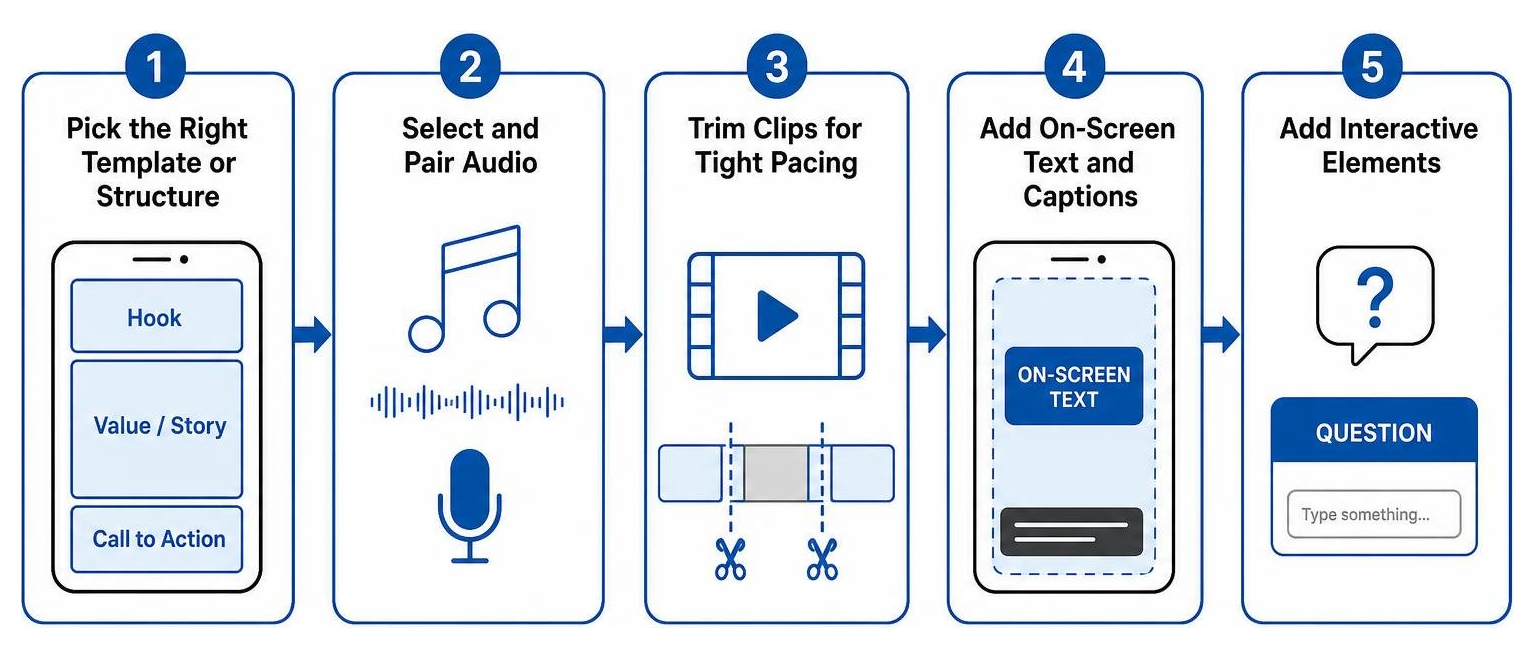
- Pick the Right Template or Structure: Choose a pre-built video template or outline your video structure (Hook, Value/Story, Call to Action).
- Select and Pair Audio: Choose a trending audio track or record clear spoken voiceover audio.
- Trim Clips for Tight Pacing: Cut out awkward pauses, dead air, and unnecessary footage. Keep clip cuts fast and lively.
- Add On-Screen Text and Captions: Position text within the vertical safe zones so it is not covered by social platform buttons or captions.
- Add Interactive Elements: Incorporate comment response stickers or clear questions in your caption to encourage viewer replies.
You do not always need to shoot brand-new footage every time you post. If you have existing video footage sitting on your phone, read The Lazy Creator’s Guide to Making Reels Using Existing Video Clips to turn recorded clips into fresh social media content.
Repurposing TikToks and Short Videos Cleanly
Cross-posting short-form videos across multiple platforms is a fantastic way to stretch your content marketing budget. However, uploading videos containing visible third-party watermarks (like the TikTok logo) will negatively impact your reach. Algorithms on Facebook and Instagram actively demote reuploaded videos that carry rival logos.
To repurpose your content cleanly:
- Save and export your original raw video footage from your phone camera or third-party editor before uploading it to any platform.
- Use watermark removal tools or re-download clean source files if you recorded inside another social app.
- Double-check vertical aspect ratios (9:16 vertical orientation) so your video fills the entire phone screen cleanly without awkward black borders.
If you are exploring cross-platform ideas, check out our guide on Creative Video Ideas for TikTok to Boost Your Engagement Overnight to see how vertical concepts easily translate across platforms.
Monetization and Technical Troubleshooting
As your vertical video presence grows, you will occasionally run into minor technical bumps or licensing questions. Understanding platform rules around audio usage, video resolution, and payout features keeps your account operating smoothly.
If you are expanding your strategy to Facebook, review How to Create Facebook Reels for Viral Growth for specific publisher guidelines and monetization tips.
Resolving Audio Licensing and Video Quality Errors
One common issue small business owners face is missing audio tracks. If you search for a popular song and cannot find it in your app menu, it is usually because you are using a Instagram or Facebook Business Account. Commercial copyright laws prevent commercial business accounts from using copyrighted popular music for commercial promotion without specific licenses.
To resolve audio limitations:
- Use royalty-free music available in the platform’s commercial sound collection.
- Use original voiceover audio, which helps build authentic connections with your local customer base.
- Search for royalty-cleared audio tracks within third-party editing apps.
Another common technical complaint is blurry or grainy video playback after posting. Social apps default to low-data uploading modes to save cellular data unless you change your settings.
To fix low-quality uploads:
- Open your Instagram or Facebook app settings.
- Search for “Media Quality” or “Data Usage”.
- Toggle on “Upload at Highest Quality”.
- Ensure you are recording video in 1080p at 30 or 60 frames per second on your phone camera settings.
Building Business Reach and Content Revenue
For local entrepreneurs in Roanoke and Fort Worth, primary revenue from reels comes through customer acquisition, direct inquiries, and local brand awareness. However, platforms also offer direct monetization features for qualified creators:
- In-Stream Ads and Play Bonuses: Facebook and Instagram offer invite-only bonus programs and ad-revenue sharing for creators who achieve consistent view counts. Top digital creators have earned significant monthly revenue directly through platform monetization programs.
- Lead Generation: By delivering helpful advice, showing behind-the-scenes work, and including clear calls to action, local businesses use short video posts to drive direct website visits, direct messages, and phone calls.
- Sponsored Partnerships: As your local audience grows, regional brands and organizations may pay you to feature their products or services in your videos.
To explore how paid vertical video ads accelerate your reach, check out The Ultimate Guide to Short Form Video Advertising.
Frequently Asked Questions About Reels Creation
How do I make high-quality reels on a low budget?
You do not need expensive production gear. Place your phone near a large window for natural lighting, use a simple tabletop tripod to keep your shot stable, and clean off your phone camera lens before recording. Ensure you speak clearly near your phone microphone, and enable highest-quality uploads in your app settings.
Why can I not find trending songs for my business account?
Commercial account restrictions prevent business profiles from using copyrighted popular music due to commercial licensing agreements. You can use original spoken audio, royalty-free tracks from the official commercial sound collection, or trending sound effects that are cleared for business use.
Can I cross-post videos between platforms without lowering reach?
Yes, but you must upload clean, watermark-free video files. Algorithms penalize reuploaded videos displaying visible logos or watermarks from competing platforms. Export original MP4 video files directly from your phone camera roll or third-party editing app, then upload them natively to each account.
Conclusion
Mastering reels creation is one of the most rewarding investments you can make for your local business. By combining simple tools, relatable visual hooks, authentic local storytelling, and clear step-by-step editing strategies, you can consistently reach new customers across Keller, Southlake, Trophy Club, Roanoke, North Richland Hills, and the entire DFW metroplex.
You do not have to figure out video marketing alone. At Kickin’ It Media Group, we specialize in helping local businesses stand out through professional photos, engaging video production, modern website design, and tailored social media strategies.
Ready to elevate your short-form video content and attract more local customers? Explore our professional Video Photography Services today and let our team bring your business story to life!