
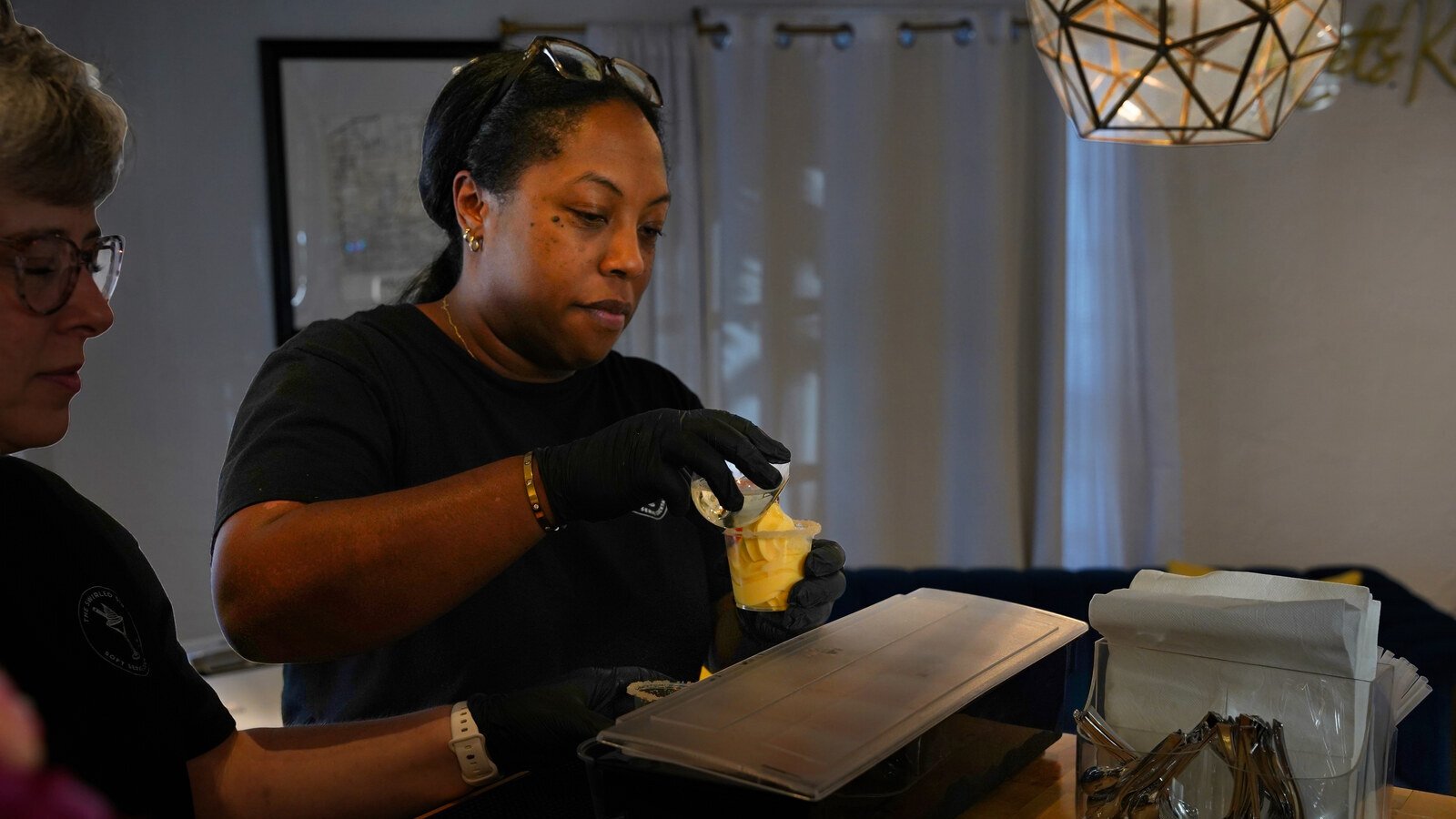
Your Google Business Profile is often the first thing a local customer sees when they search for a business like yours. It’s free, but many businesses set it up once and rarely revisit it. Google Business Profile optimization is the work of keeping that listing accurate, useful, and inviting, so it can help turn local searches into calls, visits, and sales. If you run a restaurant, boutique, medical practice, professional service, or another local business in Keller, Southlake, or the wider DFW area, a well-maintained profile can make it easier for nearby customers to choose you. You don’t need a big budget to begin. Start with the details customers rely on, then build a simple routine for keeping your listing current. What your Google Business Profile does Your profile can appear in Google Search and Google Maps when people look for your business or search for services and places nearby. It may show your hours, phone number, directions, website, reviews, photos, and other helpful details. For a restaurant, that might include menu information; for a salon or clinic, it could include services and appointment details. A strong profile also supports local SEO, which helps your business become easier to find in location-based searches. Google says local results are primarily influenced by relevance, distance, and prominence: Relevance: How well your business information matches what someone is searching for. Distance: How far your business is from the person searching, or from the location named in the search. Prominence: How well-known your business is, informed by signals such as reviews and links from other websites. You can’t control how far away a searcher is, and no one can guarantee a particular ranking. But you can make your profile more complete and accurate. Read Google’s guidance on improving local rankings for more detail. Google Business Profile optimization checklist Work through these steps in manageable chunks. Even a few updates can make your listing more helpful to customers. 1. Claim and verify your profile Search for your business on Google and check whether a profile already exists. If it does, claim it and complete Google’s verification process. This helps establish that you’re authorized to manage the listing. If you find duplicate or outdated listings, review them before creating another one. 2. Fill in the important details Add accurate information everywhere it applies: Choose the most relevant primary category and any appropriate additional categories. List the services you provide, or add menu items and products where available. Include useful attributes, such as accessibility features or amenities, if they apply. Enter regular hours and update special or holiday hours before they change. Confirm your phone number, website, address, and service area. Use your real business name, not extra location or service keywords, and keep your name, address, and phone number consistent with your website and other business listings. Consistency helps customers know they’ve found the right business. 3. Write a clear, human business description Explain what you do, who you help, and what a customer can expect. Be specific without trying to squeeze every keyword into the description. For example, a local bakery could mention its neighborhood, the kinds of baked goods it makes, and whether customers can order ahead. A short, accurate description is more useful than a string of search phrases. 4. Add real photos, and refresh them Photos help customers picture your business before they visit or get in touch. Add images that reflect what people will actually experience: your storefront, interior, team, products, work in progress, or popular menu items. Google recommends photos that are in focus, well-lit, and representative of reality. Its photo guidelines list JPG or PNG formats and recommend a resolution of 720 × 720 pixels. You don’t need a studio shoot to start; clear photos taken in good natural light can be a useful first step. Then add new images regularly so your listing doesn’t feel forgotten. The real client photography in this article comes from The Swirled Co, a Fort Worth soft-serve and sweets business. Real people, products, and customer moments give potential visitors a more genuine sense of what they’ll find. 5. Ask for reviews and respond thoughtfully Reviews can help customers decide whether to contact or visit you. Google also notes that review count and positive ratings can contribute to local prominence, but reviews are not a shortcut to a guaranteed ranking. Make asking part of a natural follow-up. For example: “Thanks for choosing us. If you have a moment, would you share an honest review on Google? Here’s the link.” Don’t offer incentives or pressure customers to leave only positive feedback. Respond to positive reviews with a personal thank-you. For a critical review, stay calm, acknowledge the concern, and offer a way to continue the conversation privately when appropriate. A thoughtful response shows prospective customers how you handle feedback. 6. Use posts for timely updates Google Business Profile posts can help you share offers, events, announcements, and seasonal updates. A restaurant might post a new menu item; a service provider might explain a seasonal service or an upcoming schedule change. Choose a rhythm you can maintain: weekly, biweekly, or whenever you have something genuinely useful to share. A timely, clear update is better than posting just to fill space. 7. Answer common questions Check the Q&A section if it’s available on your profile, and answer questions customers commonly ask. Think about the details people need before making a decision: parking, appointment requirements, accessibility, delivery, or what to bring. You can also use your website and profile description to address frequent questions, so customers don’t have to search for basic information. 8. Review your performance Use the profile’s performance information to see how people find and interact with your business. Depending on the data available, you may be able to review searches, views, calls, website clicks, or requests for directions. Look for practical clues. If people view your profile but don’t take the next step, check whether your hours, services, photos, and contact details answer

Small Business Web Design: What Your Site Needs to Turn Local Visitors Into Customers
Your website should do more than look good. It should help the right people find your business, understand what you offer, trust you, and take a clear next step, whether that’s calling, booking, requesting a quote, or stopping by. For small businesses in Keller, Southlake, and across DFW, effective web design brings those jobs together. Clear messaging, a mobile-friendly experience, useful local information, genuine photos, and easy-to-find calls to action all help turn online visits into real conversations. 1. Make it clear what you do and where you do it When someone lands on your homepage, they shouldn’t have to guess what your business offers or whether you serve their area. Make the essentials easy to understand right away: What you do Who you help Where you work What the visitor can do next For example, a headline like “Family dentistry in Southlake with appointments for busy schedules” tells a visitor more than “Your smile, our passion.” A warm brand voice can still be part of your site, but pair it with specific information. Add a short explanation beneath your headline and a prominent action button, such as Book an appointment, Call for a quote, or View our menu. Use wording that matches how customers actually work with you. If most new clients call, make your phone number easy to see and tap. A visitor’s first impression should answer a practical question: Am I in the right place? 2. Design for phones first Many local customers look up businesses while they’re on the go. They may be checking hours from a parking lot, comparing services between errands, or trying to call before the end of the workday. If your website is difficult to use on a phone, you’re adding friction at the moment they’re ready to act. Google uses the mobile version of a site’s content for indexing and ranking. That makes a mobile-friendly site important for both visitors and search visibility. Google’s mobile-first indexing guidance offers more detail. Check your site on a real phone. Is the text easy to read? Can visitors tap the phone number, find your hours, and reach the main action without pinching or scrolling through a maze? Do images load cleanly? A responsive layout, readable text, and clear buttons make a difference. Also consider what a visitor needs at a glance: hours, location or service area, parking details, booking options, and the next available step. Include the important information on mobile instead of hiding it to make the page look simpler. 3. Give local customers useful information Local business marketing works best when your website reflects the questions customers actually ask before they choose you. A visitor may want to know what a service includes, how appointments work, what areas you serve, or what to expect after making contact. Start with a clear set of core pages: Home: A quick overview of your business, services, location, and primary action. Services: A dedicated page for each major service, with details that help customers choose. About: The people, experience, and story behind the business. Contact: Your phone number, email, address or service area, hours, and a simple way to reach you. If you serve customers across multiple cities, explain your service area naturally. For example, say whether you work in Keller and Southlake, or across the wider DFW area. Don’t create multiple pages that repeat the same content with only the city name changed. Useful details are more helpful than a stack of near-identical location pages. Keep your business information consistent across your website and Google Business Profile. Google says local results are shaped by relevance, distance, and prominence; accurate information helps customers find and evaluate your business. If you have a physical location, include clear directions and a map where appropriate. 4. Build trust with real photos and specific proof Your website should feel like the business customers will actually experience. Original photos of your team, workspace, products, and completed work help make that connection. They give visitors a better sense of your atmosphere and people than generic images can. For example, a barbershop’s actual interior shows the setting customers will walk into. A café’s real pastries and drinks help people picture what they might order. These visuals can support a service page, an About page, or a gallery, not just a homepage banner. Photos work best alongside other genuine proof. Consider including customer reviews, examples of your work, staff introductions, credentials, or a short explanation of what happens after someone books. Be specific and accurate. Instead of relying on broad claims like “the best in DFW,” explain what customers can expect and show evidence that supports it. Our photography and videography work shows how real visual content can help local businesses tell a more personal, recognizable story. 5. Make taking the next step easy Once a visitor understands your offer and feels comfortable, help them act. Use one main call to action that fits the page: a restaurant might invite people to view the menu or get directions; a contractor might offer a quote request; a medical practice might make booking the priority. Repeat the main action at natural points on the page. Keep forms focused, asking only for the information you need to respond. If people usually reach you by phone, don’t make them complete a long form first. After a form is submitted, confirm that it went through and explain what happens next. A short message such as “Thanks: we’ll contact you within one business day” gives the visitor a clear expectation, provided that’s a timeframe you can meet. A helpful website doesn’t push every visitor toward the same action. It makes the right action obvious for that person. 6. Connect website design with local SEO A polished site matters, but customers also need to find it. Local SEO, the work that helps your business appear for relevant searches in your area, starts with clear, useful website content. Give each main page a descriptive title and heading. Use the language customers

What Professional Headshots Actually Do for a Local Business
A professional headshot helps people connect your business with a real person. When potential customers find you on Google, LinkedIn, your website, or social media, a current, approachable photo can make your business feel more familiar and credible before they ever call or walk through your door. For local businesses in Keller, Southlake, and across DFW, that first impression matters. You don’t need a complicated photo campaign to improve it. Start with genuine photos of the people customers will meet, then use them consistently across the places your business shows up. Why professional headshots matter Choosing a local service provider often means choosing someone you’ll meet face to face, or trust with your home, health, finances, or a major project. A headshot gives a potential customer a small but useful preview of the person behind the business. It won’t replace strong reviews, clear service information, or good customer care. But it can help your online presence feel more human and complete. A BrightLocal survey of more than 1,600 U.S. respondents found that 46% selected a website with a genuine business-owner photo as the most trustworthy option in the scenarios they were shown. The survey dates to 2014, so it shouldn’t be treated as a current prediction of how customers will behave. Still, it supports a practical point: showing a real person can make a local business feel more personal than showing no people at all. A good headshot doesn’t need to make you look like someone else. It should help someone recognize you, and get a sense of how you’ll show up professionally. Make your first impression feel consistent People may encounter your business in several places before they contact you. They might see your Google Business Profile, click through to your website, look you up on LinkedIn, and then check Instagram or Facebook. When your photo is recognizable across those platforms, it’s easier to connect the dots. That visual consistency won’t automatically improve search rankings or guarantee a sale. Instead, it supports brand consistency: your online presence looks connected and the person behind the business is easier to recognize. Use a current photo that looks like you do now. If a customer meets you in person, they should recognize the same person they saw online. Keep the background and styling appropriate for your work, and choose an expression that feels natural, not forced or overly formal. Where to use your professional headshots Think of a headshot as one useful part of your local business marketing photo library, not an image that belongs in only one place. Google Business Profile: Add real team and work photos to help people understand who they may meet and what your business does. Google recommends team photos that show the human side of a business, and suggests adding at least three photos featuring management and employees where appropriate. Its photo guidelines recommend images that are in focus, well lit, and representative of reality. Website: Put an owner or team photo on your About page, and consider adding a small portrait beside a bio or contact information. A contractor might include a photo at a project site; a dentist might show the provider in a welcoming, professional setting. LinkedIn: Use a clear, recognizable head-and-shoulders photo on your personal profile. If you have a company page, make sure your business’s logo and visuals are also current. Social media: Use the same core portrait for your profile image, then use other photos from the session for posts, introductions, and team spotlights. Each platform may crop images differently, so check how your photo appears after uploading. A good photographer can prepare versions for common uses without changing the image into something that no longer feels like you. A headshot can be professional without feeling stiff “Professional” doesn’t have to mean a blank background and a serious expression. Your photo should suit your business and the customers you want to reach. A lawyer, financial adviser, or health-care provider may prefer a polished portrait with simple lighting and a clean background. A builder, real estate professional, or business owner who spends time on-site may also want a more relaxed image in a real work setting. Both approaches can work. The key is that the photo feels intentional, current, and true to the experience customers can expect from you. If your business is friendly and hands-on, a stiff portrait may not communicate that. If clients expect a more formal relationship, a casual snapshot may not fit. How to get more value from one photo session You’re busy. A useful photo session should give you more than one image to upload and forget about. Before you book, think about where the photos will appear and what you need them to communicate. Then: List the people to photograph. Include the owner and team members who regularly interact with customers. Choose a setting that fits your business. A studio, office, shop, or active job site can all work. Pick a place that supports the impression you want to make. Plan a few simple variations. Ask for a close headshot, a wider portrait, and a few natural images in your workplace. These give you options for profile pictures, bios, and social posts. Wear something you’d actually wear to meet a customer. Choose comfortable clothing that fits your brand and won’t distract from your face. Use the finished photos consistently. Update your profiles and website together, and replace old images when a person’s role or appearance changes. Google’s photo guidance recommends JPG or PNG files and a resolution of 720 by 720 pixels, with a minimum of 250 by 250 pixels. It also advises against significant alterations or excessive filters so images represent reality. Your photographer can help prepare suitable files, but check each platform’s current upload requirements before posting. If you have a small team, you don’t need everyone to pose in exactly the same way. A coordinated session, with consistent lighting and a similar level of polish, can make the photos feel like